
How Do I Access the IGNOU Samarth Portal? Login, Services and Registration
Part of IGNOU ID & Login: How to Login to IGNOU Student Dashboard on Samarth Portal
Indira Gandhi National Open University (IGNOU), also known as IGNOU, manages post-admission academic services for open and distance learning and online students through its centralised portal. Registered learners across undergraduate, postgraduate, diploma, and certificate programmes use this unified interface to manage enrolment details, access digital identity cards, and download examination hall tickets. For the July 2026 academic session, confirmed learners must create a account on the Student Portal to access course materials and administrative support.
IGNOU Samarth portal: July 2026 academic session registration
IGNOU Samarth portal serves as the primary digital management system for all enrolled distance learning and online students following admission confirmation. Every student admitted to the July 2026 academic session must register on this single portal to create a personalized student account. Having an active account allows learners to manage course information, verify admission details, and access essential university services throughout their programme duration.
- ODL Admission Portal: ignouadmission.samarth.edu.in
- Online Programme Admission Portal: ignouiop.samarth.edu.in
- Fixed Learner Intake Admission Portal: ignouflip.samarth.edu.in
- Post-Admission Student Portal: ignou.samarth.edu.in
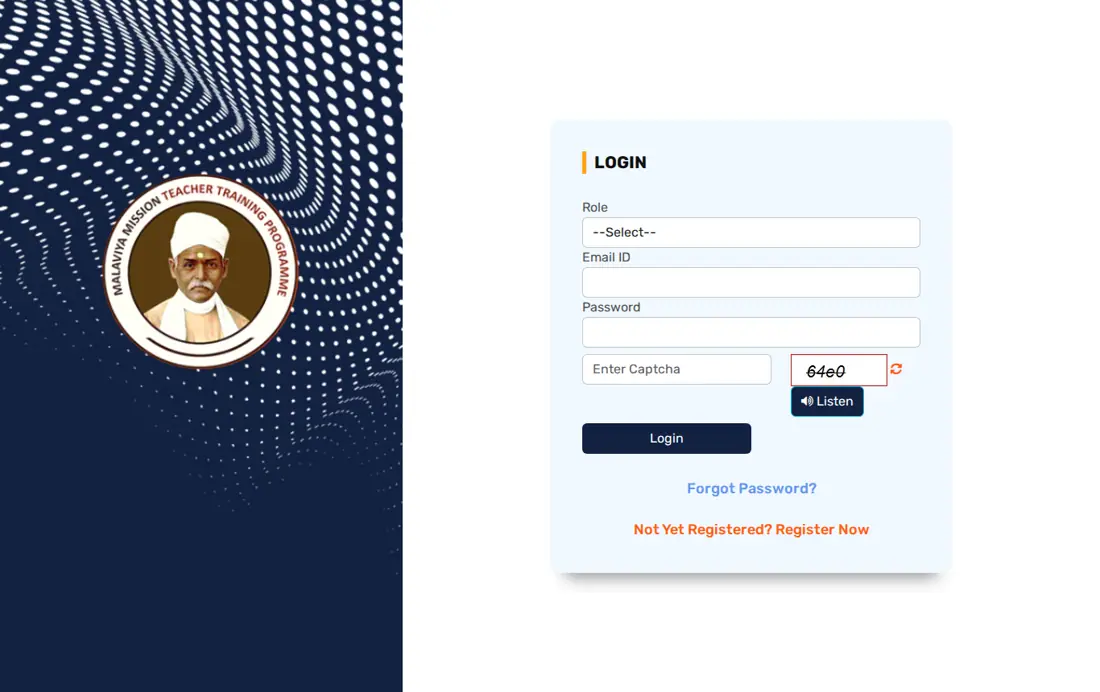
IGNOU Samarth login: Access portal at ignou.samarth.edu.in
IGNOU Samarth login allows registered students to enter their personal dashboard on the portal at ignou.samarth.edu.in. Students require their unique enrolment number and the password established during initial registration to gain access. Logging into the student account enables learners to complete critical administrative procedures, access digital learning resources, and monitor their academic progress across all enrolled semesters.
- Open the official IGNOU Samarth Student Portal in your web browser.
- Enter your registered enrolment number in the username field.
- Type your chosen password in the designated password field.
- Complete the visual captcha verification as shown on the screen.
- Click the Login button to access your personal student dashboard.
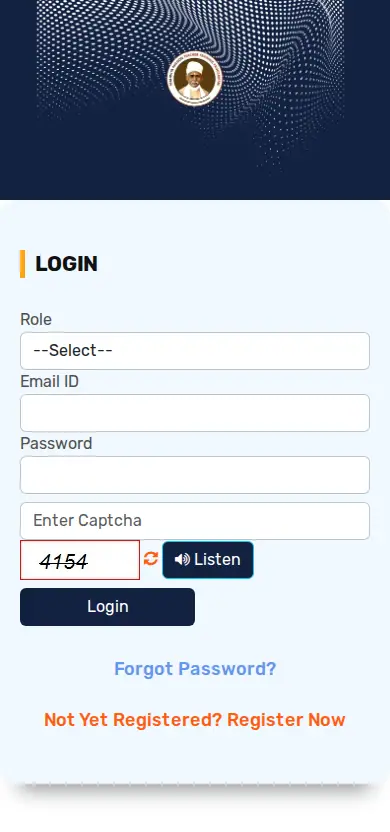
IGNOU Samarth password reset: Programme code selection requirement
IGNOU Samarth password reset provides a direct recovery mechanism for students who have forgotten their student account password. The reset interface requires selection of the student’s exact programme code before verifying personal identification credentials. Completing this recovery process restores full access to the student portal without requiring manual administrative intervention from regional centre staff.
- Navigate to the IGNOU Samarth password reset page.
- Select your enrolled academic programme from the drop-down menu.
- Enter your official enrolment number in the specified field.
- Follow the on-screen instructions to receive verification details.
- Submit the verification details and create a new secure password.
IGNOU student services
IGNOU student identity card: Download from portal account
IGNOU student identity cards are mandatory credentials required for entry into examination centres and regional support offices. Students admitted through the online portal can download their official student identity card directly from their portal account after admission confirmation. If a physical or printed identity card is lost, learners must request a duplicate identity card from their assigned regional centre prior to the start of term-end examinations.
- Log into your student account on the IGNOU Samarth portal.
- Locate the Identity Card section on your personalized dashboard.
- Click the download option to generate your official student ID card PDF.
- Save and print a clear copy of the identity card for examination entry.
IGNOU Term-End Examination hall ticket: Digital release 7 to 10 days before exams
IGNOU Term-End Examination hall tickets are issued digitally on the university portal approximately 7 to 10 days before examinations commence. No physical hall tickets are dispatched through postal mail to examinees. Candidates must print their hall ticket from the website by providing their enrolment number and programme code, and present it alongside a valid student identity card at the designated examination centre.
- Open the official IGNOU Student Services portal or main website.
- Select the Hall Ticket link for the upcoming Term-End Examination session.
- Enter your official enrolment number and select your programme of study.
- Submit the details to view and print your examination hall ticket.
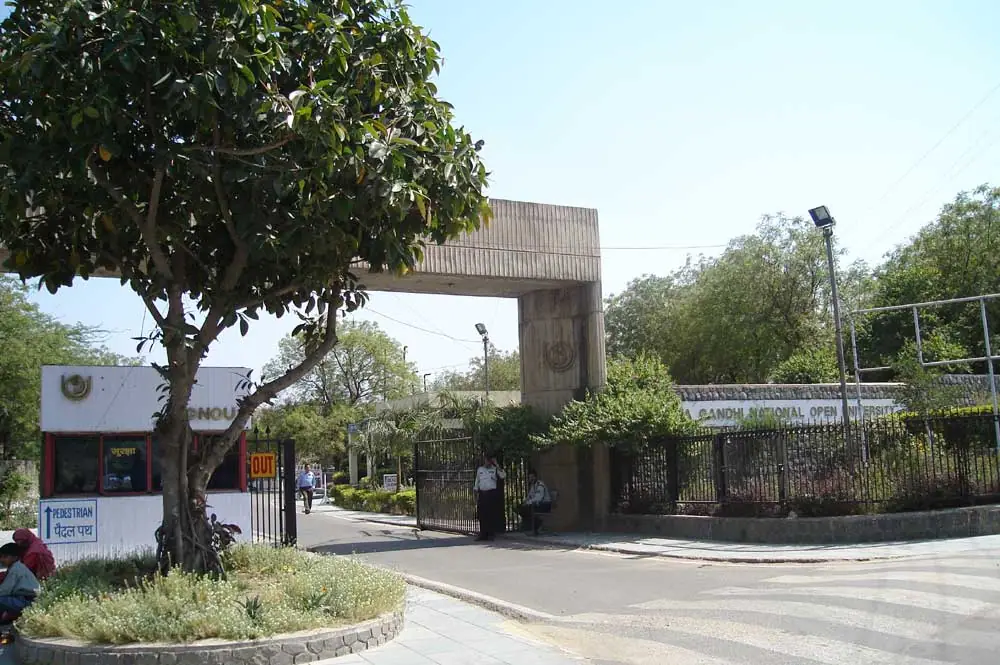

IGNOU Student Services: Academic support through 67 Regional Centres
IGNOU Student Services provides comprehensive academic support through a network of 67 Regional Centres and associated Learner Support Centres across India. Learners interact with academic counsellors, access library resources, and receive administrative guidance at these centres. For resolving online administrative issues or service delays, candidates can submit formal queries through the dedicated IGNOU iGRAM grievance management portal.
- Grievance Submission Portal: iGRAM portal for online tracking
- Academic Support Network: 67 Regional Centres and Recognised Regional Centres
- Toll-Free Helpline Contact: 1800112347
- Direct Phone Contact: 011-29533581, 011-29536131, 011-29533103
- Radio Counseling Broadcasts: Gyan Vani on FM Radio 105.6 MHz
IGNOU examination fees: Non-refundable Term-End Examination payments
IGNOU requires online fee payments via credit card, debit card, or net banking during portal transactions. Examination fees paid for Term-End Examinations are strictly non-refundable and non-adjustable under any circumstances, even if a student cannot appear for the exam. IGNOU has not published specific Term-End Examination fees per course, late fee penalties, or physical study material dispatch tracking steps on its site as of 21 October 2026.
- Accepted Payment Modes: Credit Card, Debit Card, NetBanking
- Fee Refund Policy: Examination fee once paid is neither refundable nor adjustable
- Examination Entry Requirement: Mandatory IGNOU Student ID card and Hall Ticket
IGNOU academic programmes: Modular credit system structure
IGNOU offers diverse undergraduate, postgraduate, diploma, and certificate programmes through the open distance learning mode. Programme structures follow a modular credit system allowing defined entry and exit points for registered learners. Students selecting programmes during portal registration can choose from numerous accredited options across arts, science, commerce, and professional management disciplines.
Select Academic Programmes Listed on IGNOU Samarth Systems
| Programme Code | Full Programme Name | Learning Mode |
|---|---|---|
| MCOM | Master of Commerce | ODL |
| MBA | Master of Business Administration | ODL |
| MAEG | Master of Arts (English) | ODL |
| BAG | Bachelor of Arts | ODL |
| BCOMG | Bachelor of Commerce | ODL |
| BSCG | Bachelor of Science | ODL |
| BCA | Bachelor of Computer Applications | ODL |
Where to go on the IGNOU site
- Login to IGNOU Samarth student portalignou.samarth.edu.in ↗
- Access IGNOU Student Services pageignou.ac.in ↗
- Reset IGNOU Samarth portal passwordignou.samarth.edu.in ↗
- Check IGNOU admission registration statusisms.ignou.ac.in ↗
- Submit student grievances on iGRAM portaligram.ignou.ac.in ↗
Key facts
- Student Portal URL: ignou.samarth.edu.in
- ODL Admission Portal: ignouadmission.samarth.edu.in
- Online Admission Portal: ignouiop.samarth.edu.in
- Hall Ticket Availability: 7-10 days before TEE
- Regional Centres: 67 Regional Centres
Notices and Documents from IGNOU
- IGNOU Common Prospectus Admission Session July 2026 PDF — IGNOU Common Prospectus containing programme rules and portal guidance
Common IGNOU Questions
How to login to the IGNOU student portal to manage course details?
Students log in to manage course details by visiting the IGNOU Samarth student portal at ignou.samarth.edu.in. You must enter your registered enrolment number and student account password, then complete the captcha verification. Once logged in, the student dashboard displays course enrolment details, identity card download options, and academic management links.
What is the official URL for the IGNOU Samarth portal?
The official student portal URL for post-admission services at IGNOU is ignou.samarth.edu.in. Confirmed learners in the July 2026 session must register on this portal to access course details and administrative services after securing admission. Prospective ODL applicants must use ignouadmission.samarth.edu.in to submit fresh admission forms, whereas online programme applicants must register at ignouiop.samarth.edu.in. If portal access fails during account creation, learners should verify their enrolment number on the admission status page at isms.ignou.ac.in.
How can students reset a forgotten password on ignou.samarth.edu.in?
Students reset a forgotten portal password by accessing the dedicated recovery page at ignou.samarth.edu.in. To initiate the process for the July 2026 session, select your specific programme code from the drop-down menu and submit your registered enrolment number. Follow the portal verification prompts to validate your identity and establish a new secure login password. If automated recovery fails on the portal, learners should contact their assigned Regional Centre staff or call 011-29533581 for direct manual assistance.
How do students download their official IGNOU student identity card online?
Students who took admission online download their digital identity card directly from their student portal dashboard at ignou.samarth.edu.in. After signing in, locate the identity card section to generate and print the card. Examinees who lose their physical card must request a duplicate from their Regional Centre before TEE exams start.
When and where are IGNOU Term-End Examination hall tickets published?
IGNOU Term-End Examination hall tickets are published on the main portal at www.ignou.ac.in approximately 7 to 10 days before exams begin. Enrolled learners in the July 2026 session must enter their official enrolment number and select their programme code to view and print the ticket. No physical hall tickets are dispatched by post to candidates appearing for Term-End Examinations. If the portal fails to generate your hall ticket, candidates must contact their designated Regional Centre before the examination session commences.
How do learners submit complaints or grievances to IGNOU online?
Learners submit grievances online using the official IGNOU iGRAM portal located at igram.ignou.ac.in. On the platform, students select their specific category regarding admission, examination delays, or services to lodge queries and track resolution progress. This facility serves all active distance and online learners, including those registered in the July 2026 academic session. If online grievance submission fails or remains unresolved, candidates can contact student support via the toll-free helpline at 1800112347 or call 011-29533581 directly.
What is the official admission portal for IGNOU Open and Distance Learning programmes?
Prospective candidates apply for Open and Distance Learning courses at the official portal ignouadmission.samarth.edu.in. Applicants for the July 2026 session must complete online registration, upload required documents, and submit their programme application fees through this dedicated platform. Once admission is confirmed, learners receive an enrolment number to register on the main student portal ignou.samarth.edu.in. If registration issues occur, candidates can seek guidance from their local Regional Centre.
Which portal do students use for IGNOU online programme admissions?
Admissions for online mode programmes at IGNOU are processed through the dedicated portal ignouiop.samarth.edu.in. Candidates registering for the July 2026 session must create an account on this platform to submit application forms and complete digital fee payments. Following admission confirmation, online learners access digital ID cards and academic management options through ignou.samarth.edu.in. Applicants encountering technical payment errors should contact student helpline numbers at 011-29533581 or 011-29536131 for immediate assistance.
What is the refund policy for IGNOU Term-End Examination fees paid on the portal?
Term-End Examination fees paid through the IGNOU portal are strictly non-refundable and non-adjustable under any circumstances. This rule applies to all registered distance and online learners in the July 2026 academic session, even if a student fails to appear for the examination. Payments must be completed online using valid credit cards, debit cards, or net banking methods. If an online transaction fails during fee payment, candidates must verify payment processing status with their banking institution.
How can candidates check their IGNOU admission registration status online?
Candidates check their official admission registration status online by visiting the portal at isms.ignou.ac.in/changeadmdata/AdmissionStatusNew.ASP. Applicants entering the July 2026 academic session must enter their assigned enrolment number or control number to verify confirmation details. Once admission confirmation is displayed on screen, learners can proceed to create their student account at ignou.samarth.edu.in. If the status remains unconfirmed, candidates should contact their designated Regional Centre for administrative assistance.
How do learners access IGNOU student support services and academic counselling?
IGNOU provides academic counselling and student support services across its network of 67 Regional Centres and Learner Support Centres. Students in the July 2026 session can access academic support links on the official portal page www.ignou.ac.in/pages/4. Learner Support Centres organize face-to-face counselling sessions outside regular working hours, or provide Web Enabled Academic Support for smaller student batches. If counselling schedules are missing, learners should contact their assigned Regional Centre directly.
Which portal is used for IGNOU Fixed Learner Intake programme admissions?
Prospective candidates apply for fixed intake programmes through the dedicated IGNOU portal at ignouflip.samarth.edu.in. Applicants in the July 2026 academic session must register on this platform to submit application forms and complete digital fee payments. Once admission is confirmed, learners receive an enrolment number to register their account on the main student portal ignou.samarth.edu.in. If technical issues occur during application submission, candidates should contact their assigned Regional Centre or call 011-29533581.
What payment methods are accepted for online fee transactions on IGNOU portals?
IGNOU accepts online fee payments exclusively through valid credit cards, debit cards, and net banking facilities on its portals. Enrolled learners submitting admission or examination fees for the July 2026 academic session must complete transactions digitally through these integrated payment gateways. Examination fees once paid remain non-refundable and non-adjustable under university regulations. If an online transaction fails or money is debited without receipt generation, candidates should verify payment status with their bank or call 011-29533581.
What helpline numbers can students contact for IGNOU Samarth portal support?
Students experiencing technical or administrative portal issues can reach IGNOU support through the toll-free helpline number 1800112347. Additional direct contact telephone numbers available for learner assistance include 011-29533581, 011-29536131, and 011-29533103 during the July 2026 academic session. Learners can also lodge formal online complaints regarding service delays using the dedicated iGRAM portal at igram.ignou.ac.in. If digital or phone support fails to resolve the query, candidates must visit their assigned Regional Centre among the 67 centres across India.
How does the modular credit system work for IGNOU academic programmes?
IGNOU structures its academic programmes using a modular credit system where every enrolled course is allocated a specific credit weightage. Registered learners in the July 2026 session can exit programmes at designated completion points to obtain a certificate or diploma depending on credits earned. Conversely, learners earning required certificate credits can progress directly toward completing a higher diploma or degree. If credit status queries occur on ignou.samarth.edu.in, students can contact their assigned Regional Centre staff for assistance.
How do new students register an account on the IGNOU Samarth portal after admission?
New learners register their account on the official student portal at ignou.samarth.edu.in after receiving admission confirmation. For the July 2026 academic session, students must select the registration option, choose their programme code from the list, and enter their assigned enrolment number. Complete the verification steps to set up a secure personal password for accessing portal services. If your enrolment number is not recognized during registration, verify your admission status at isms.ignou.ac.in or contact your assigned Regional Centre.